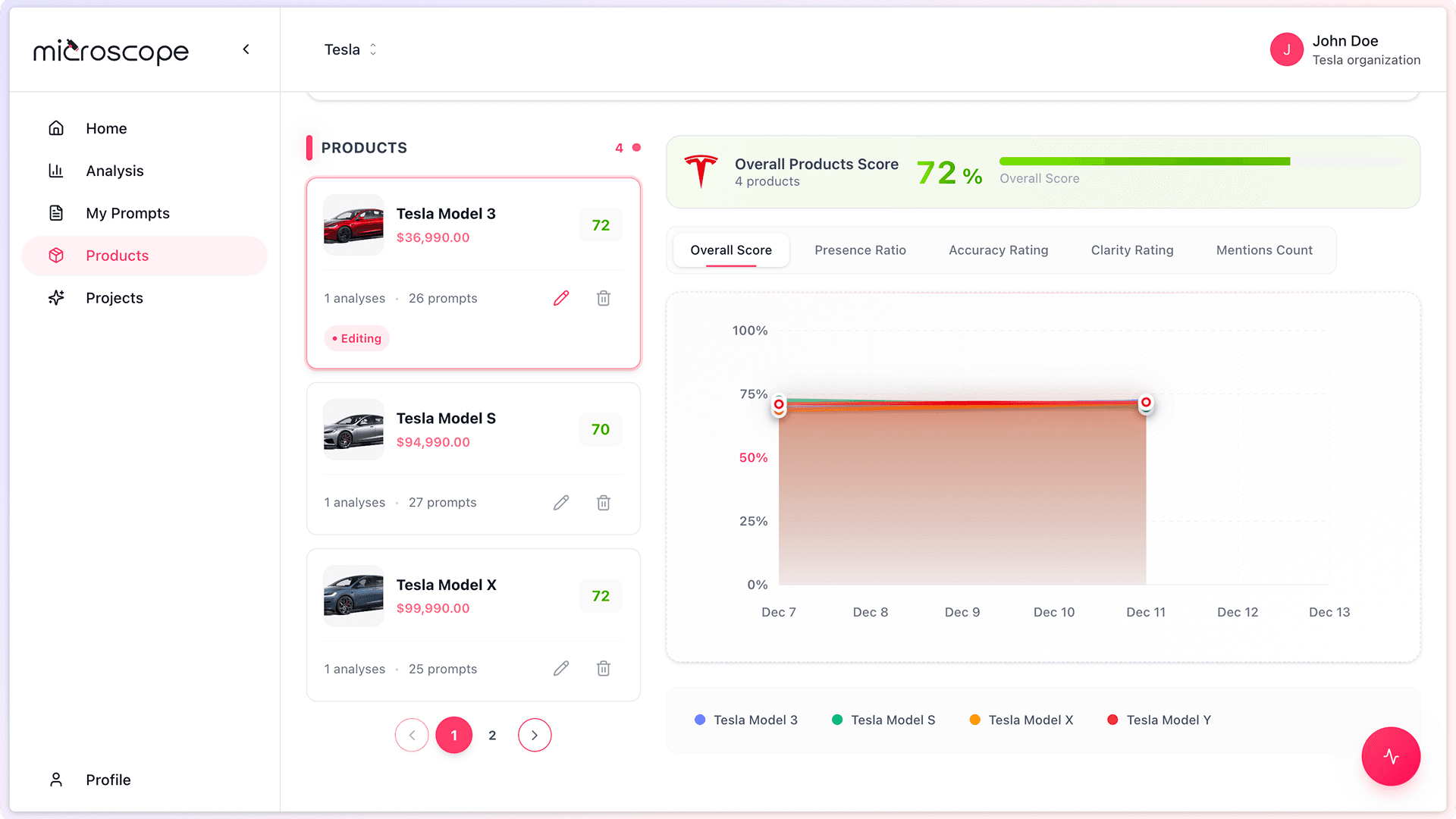
The Products Overview page in Microscope.ai provides visibility into how each product in your catalog performs in AI search results. This guide explains how to track and analyze product-level performance.
Accessing Products Overview
- Log in to Microscope.ai
- Select your project
- Navigate to Products from the left sidebar
- View the list of all products in your catalog
Understanding the Products Overview Page
Product List
The main view shows all products in your catalog with key information:
- Product name
- Performance metrics summary
- AI positioning indicators
- Recent performance trends
Purpose of This Page
- Compare performance across your product portfolio
- Identify which products need attention
- Track how AI models represent each product
- Spot opportunities for optimization
Key Performance Metrics
Metrics Available
For each product, you can track:
- How often AI models mention the product
- How accurately AI describes the product
- AI positioning relative to competitors
- Performance trends over time
Specific metrics depend on the analyses you run and the prompts you use.
Analyzing Individual Products
Product Detail View
To dive deeper into a specific product:
- Click on the product name in the list
- View detailed performance data
- See which analyses included this product
- Review AI responses mentioning this product
What You Can Learn
- Which AI models favor this product
- Common themes in AI descriptions
- Accuracy of AI information
- Competitive positioning
- Gaps in AI knowledge
Comparing Product Performance
Portfolio View
Use the Products Overview to compare products:
- Identify top performers
- Spot underperforming products
- Understand relative AI positioning
- Allocate optimization resources effectively
What to Look For
- Consistently high performers - Products AI represents well
- Inconsistent products - Varied AI responses
- Low-visibility products - Rarely mentioned by AI
- Misrepresented products - AI gets details wrong
Product-level insights help you prioritize optimization efforts and understand which offerings resonate with AI models.
Using Performance Data for Optimization
High-Performing Products
If a product performs well:
- Analyze what AI gets right
- Use successful elements for other products
- Maintain current information quality
- Continue monitoring to catch any changes
Underperforming Products
If a product performs poorly:
- Review product information in your catalog
- Check if your website provides sufficient details
- Improve product descriptions and use cases
- Create targeted content to help AI understand the product
- Run follow-up analyses to measure improvement
Missing Products
If a product is never mentioned:
- AI may not know the product exists
- Your online presence for this product may be weak
- Consider content marketing focused on this product
- Verify product information is accurate and complete
Trends and Historical Data
Tracking Changes Over Time
Product performance isn't static:
- Monitor how metrics evolve
- Track the impact of optimizations
- Identify seasonal patterns
- Spot emerging competitive threats
- Measure the effect of product launches
What Trends Reveal
- Whether your optimization efforts are working
- How AI adapts to your product changes
- Competitive dynamics shifts
- New opportunities or risks
Actionable Insights
Resource Allocation
Use product performance data to decide:
- Where to focus content creation
- Which products need website improvements
- How to allocate marketing budget
- Which products to feature in campaigns
Product Strategy
- Identify products with AI advantage
- Understand where you're losing to competitors
- Discover products ready for expansion
- Recognize products needing repositioning
Best Practices for Product Tracking
- Regular monitoring - Check Products Overview weekly or monthly
- Context matters - Consider broader market trends
- Take action - Don't just observe, optimize
- Document findings - Keep notes on insights and actions
- Share insights - Inform product and marketing teams
- Iterate - Continuous improvement over time
Common Questions
Why isn't my product showing any data?
Your product needs to be included in analyses with product prompts. Run an analysis that includes product-specific prompts to generate data.
How often is performance data updated?
Data updates each time you run an analysis that includes product prompts. More frequent analyses mean more current data.
Can I export product performance data?
Yes, you can export analysis results which include product-level data. Use this for reporting or external analysis.
Next Steps
With product performance tracking in place, you're ready to:
- Create product-focused optimization strategies
- Run targeted analyses for specific products
- Measure the ROI of product marketing efforts
- Make data-driven product decisions