Keeping your product catalog up to date is essential for accurate AI monitoring. This guide covers editing, updating, and removing products from your Microscope.ai catalog.
Why Product Management Matters
- Product information provides context for AI analysis
- Outdated information leads to inaccurate evaluations
- Changes in your product lineup should be reflected in your catalog
- Regular updates ensure relevance of AI monitoring
Editing Product Information
When to Edit Products
Update product information when:
- Product details change
- You rebrand or rename a product
- Features are added or removed
- Use cases evolve
- Pricing changes
- Product URLs change (website restructuring)
- You have better product images
- AI analysis reveals inaccuracies in your descriptions
- Product positioning changes
How to Edit a Product
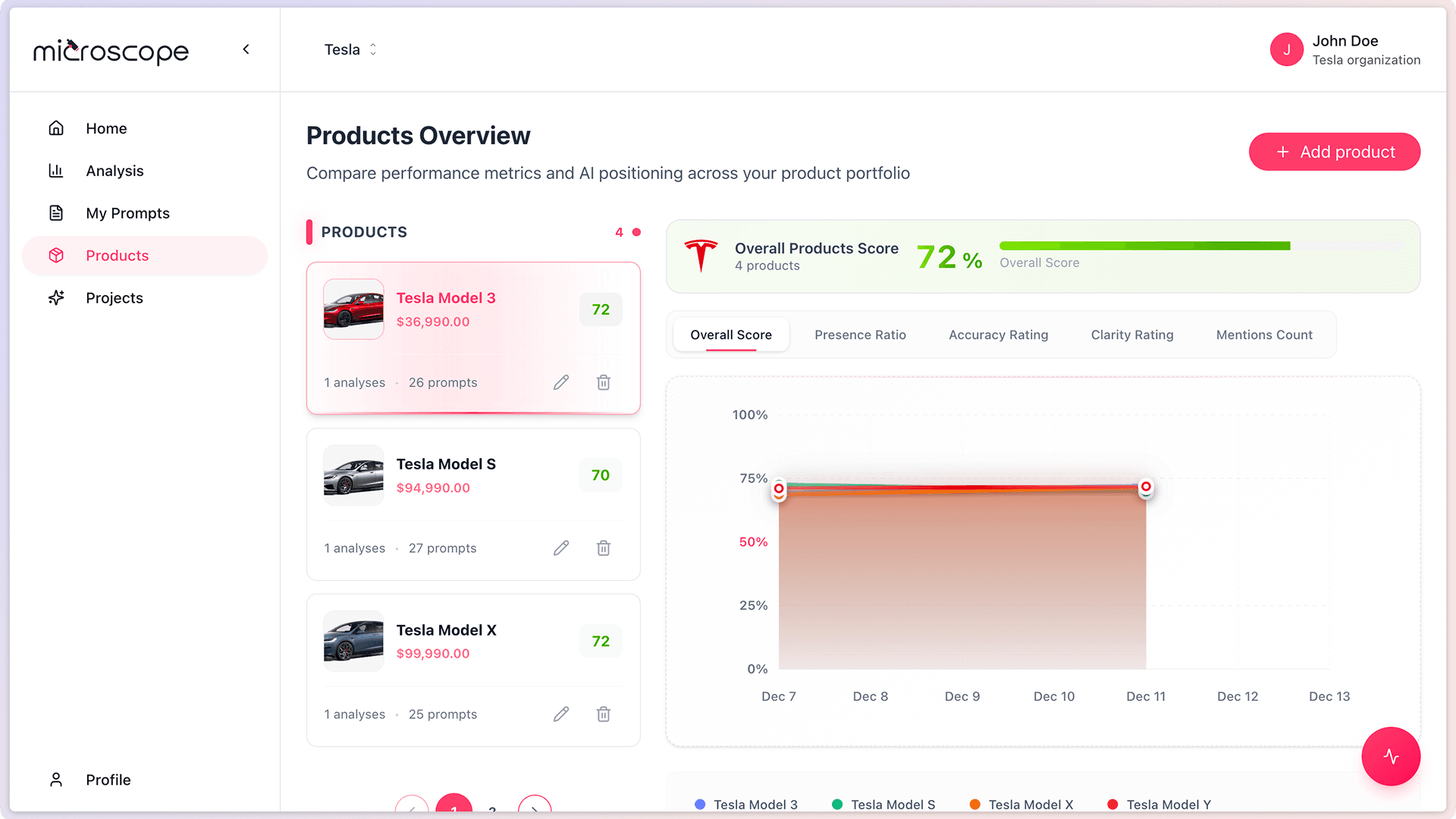
- Navigate to Products option
- Locate the product you want to edit
- Click on the product or select the edit option
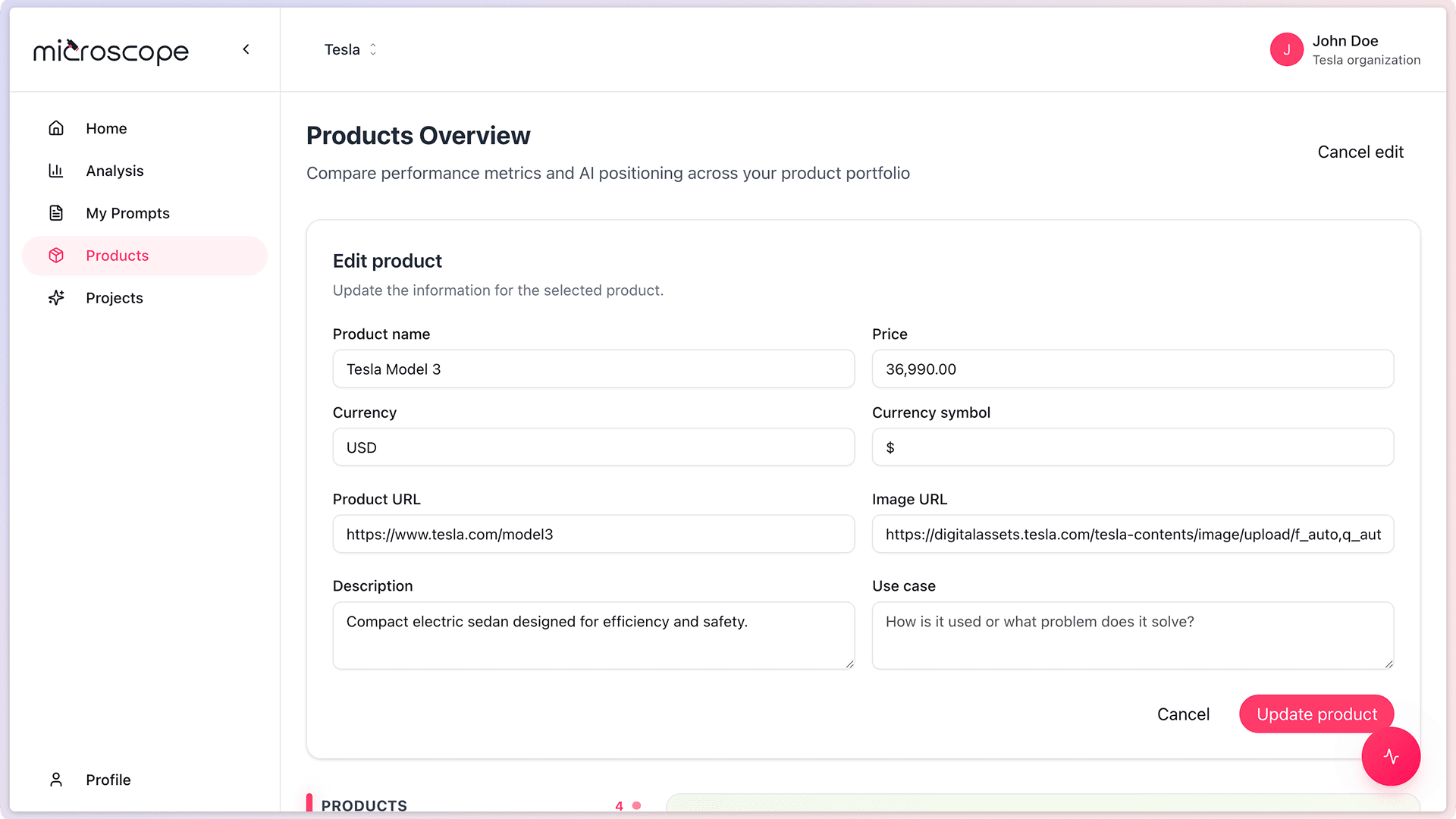
- Update the relevant fields
- Review your changes
- Click Update product
What You Can Edit
- Product Name - Update product name if rebranded
- Description - Refine or expand the description
- Use Cases - Add, remove, or modify use cases
- Price - Update when pricing changes
- Currency - Change if you switch currency
- Currency symbol - Change if you switch currency
- Product URL - Update if the product page moves
- Image URL - Change to use a better image
Impact of Editing Products
Future Analyses
Changes to product information:
- Take effect immediately
- Are used in all future analyses
- Provide updated context for prompts
- Help AI models understand current product state
Historical Data
Important to note:
- Historical analysis results are NOT changed
- Past executions reflect the product information that existed at that time
- Trends remain intact
- You can still compare before and after edits
Editing product information does not alter historical results. This preserves the integrity of your trend data.
Keeping Products Current
Regular Review Schedule
Establish a routine for reviewing your product catalog:
- Monthly - For rapidly evolving product lines
- Quarterly - For most stable products
- As needed - When major changes occur
- After analysis - If AI responses indicate outdated information
Signs Product Information Needs Updating
- AI responses contradict your current offerings
- Features mentioned are outdated
- Use cases no longer align with customer behavior
- Product names don't match current branding
- Descriptions feel stale or incomplete
Deleting Products
When to Delete Products
Consider removing products from your catalog when:
- The product is discontinued
- You no longer want to monitor it
- It was added by mistake
- You need space for new products
- The product has been replaced by a newer version
How to Delete a Product
- Go to Products
- Find the product to delete
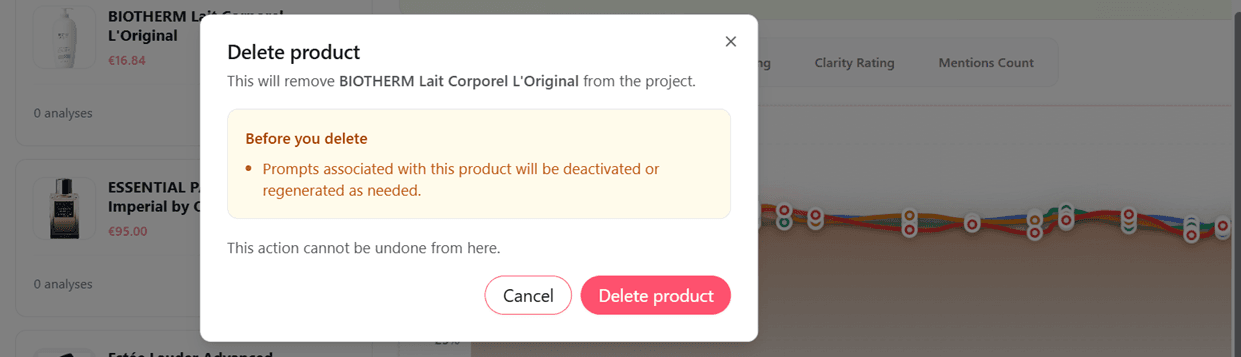
- Select the delete option
- Clic Delete product button
What Happens When You Delete a Product
Deleting a product:
- Removes it from your catalog immediately
- Stops it from being included in future analyses
- Does NOT delete historical analysis data
- Cannot be undone easily (you'd need to re-add it)
Be careful when deleting products. While historical data is preserved, you will lose the product configuration and will need to re-enter all information if you want to add it back.
Alternatives to Deletion
Before deleting, consider:
- Editing the product to reflect a new version
- Keeping it for historical reference
Best Practices for Product Management
Documentation
- Keep notes on why significant changes were made
- Document product version history externally
- Record the date of major updates
Consistency
- Ensure product information matches your website
- Keep naming consistent across marketing materials
- Update all products when branding changes
Collaboration
- Inform team members of product changes
- Coordinate updates with product launches
- Review edits with product or marketing teams
Testing After Updates
- Run a quick analysis after major edits
- Verify AI responses reflect updated information
- Check that use cases are still relevant
Managing Large Product Catalogs
Prioritization
If you have many products:
- Focus on high-priority products first
- Update frequently mentioned products more often
- Group similar products for batch updates
- Use a spreadsheet to track update schedules
Systematic Approach
- Review products alphabetically
- Update by category or product line
- Set reminders for periodic reviews
- Assign product categories to team members
Product Information Quality
Accuracy
- Verify all claims in your descriptions
- Ensure technical specifications are current
- Double-check product names and versions
- Keep prices up to date
- Verify all URLs are working
- Ensure images accurately represent the current product
Completeness
- Don't leave fields incomplete
- Provide sufficient detail for AI understanding
- Include all relevant use cases
Clarity
- Write clearly and concisely
- Avoid jargon unless industry-standard
- Use language your customers would use
Common Product Management Mistakes
Inconsistent Updates
Updating some products but not others creates inconsistency. Maintain the entire catalog, not just favorites.
Deleting Too Quickly
Don't delete discontinued products immediately if they still appear in AI responses. Keep them to monitor how AI transitions away from them.
Ignoring AI Feedback
If AI consistently gets your product wrong, your product information may need improvement, not just the AI.
Set and Forget
Adding products once and never updating them leads to stale information. Regular maintenance is essential.
Next Steps
With your products properly managed, you're ready to:
- Monitor product-level performance
- Track how product updates affect AI positioning
- Identify which products need optimization
- Make data-driven product marketing decisions