Microscope.ai provides two types of prompts: automatic prompts created by the platform and custom prompts that you create. Understanding when and how to use each type is key to comprehensive AI monitoring.
Automatic Prompts
Automatic prompts are pre-built questions created and maintained by the Microscope.ai team.
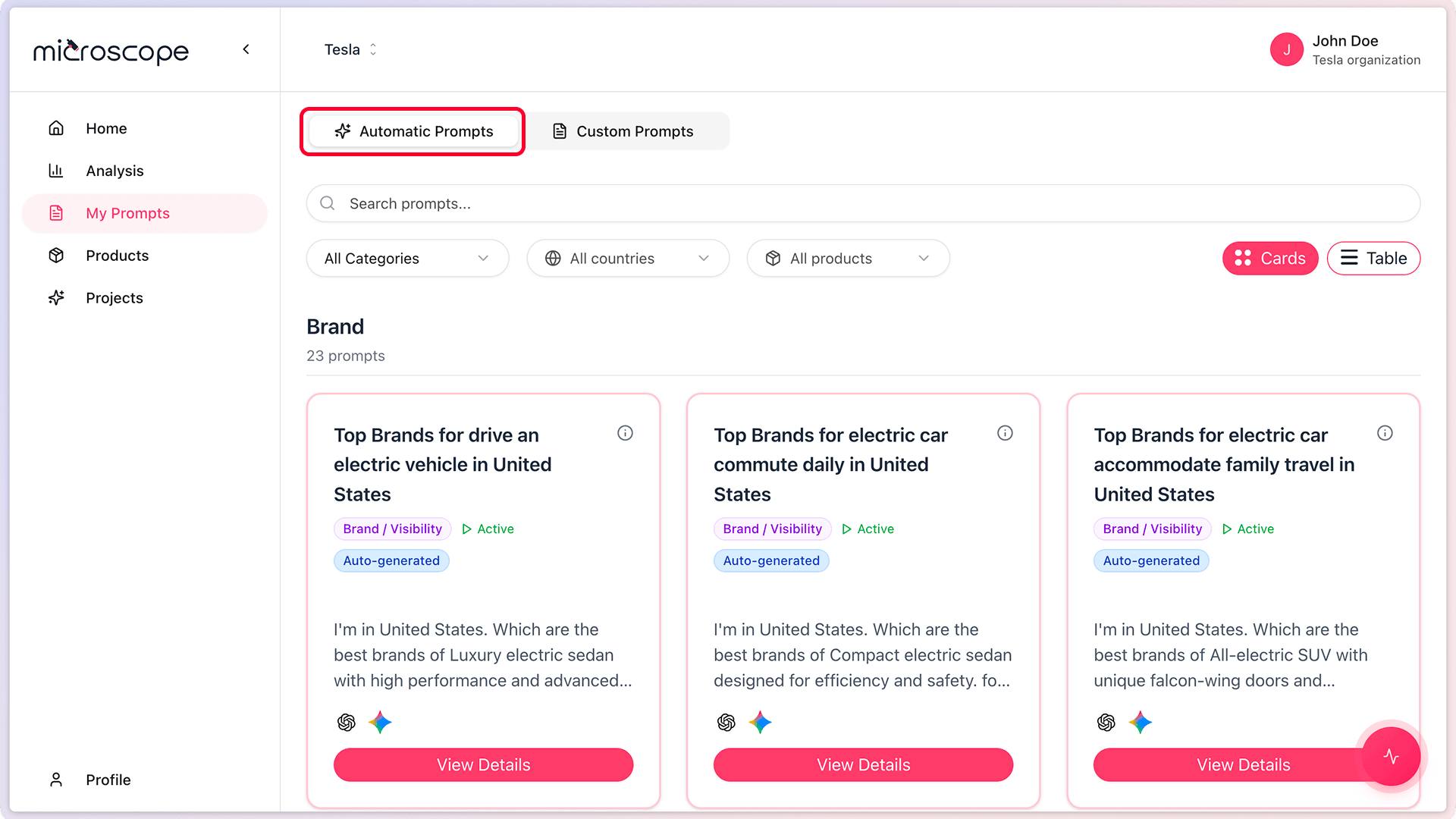
What Are Automatic Prompts?
- Industry-standard questions relevant to your sector
- Cover essential scenarios across all categories
- Professionally crafted for optimal AI responses
- Regularly updated to reflect AI model evolution
- Available immediately after project creation
Benefits of Automatic Prompts
- Immediate value - Start monitoring without creating prompts
- Best practices - Based on industry expertise
- Comprehensive coverage - Cover essential monitoring areas
- Benchmarking - Compare against standard metrics
- Time-saving - No need to write prompts from scratch
- Consistent - Standard prompts across all users
How Automatic Prompts Are Generated
When you create a project:
- Microscope.ai analyzes your industry selection
- Generates relevant prompts for your sector
- Tailors questions to your brand and products
- Populates your prompts library automatically
Custom Prompts
Custom prompts are questions you create to address specific monitoring needs.
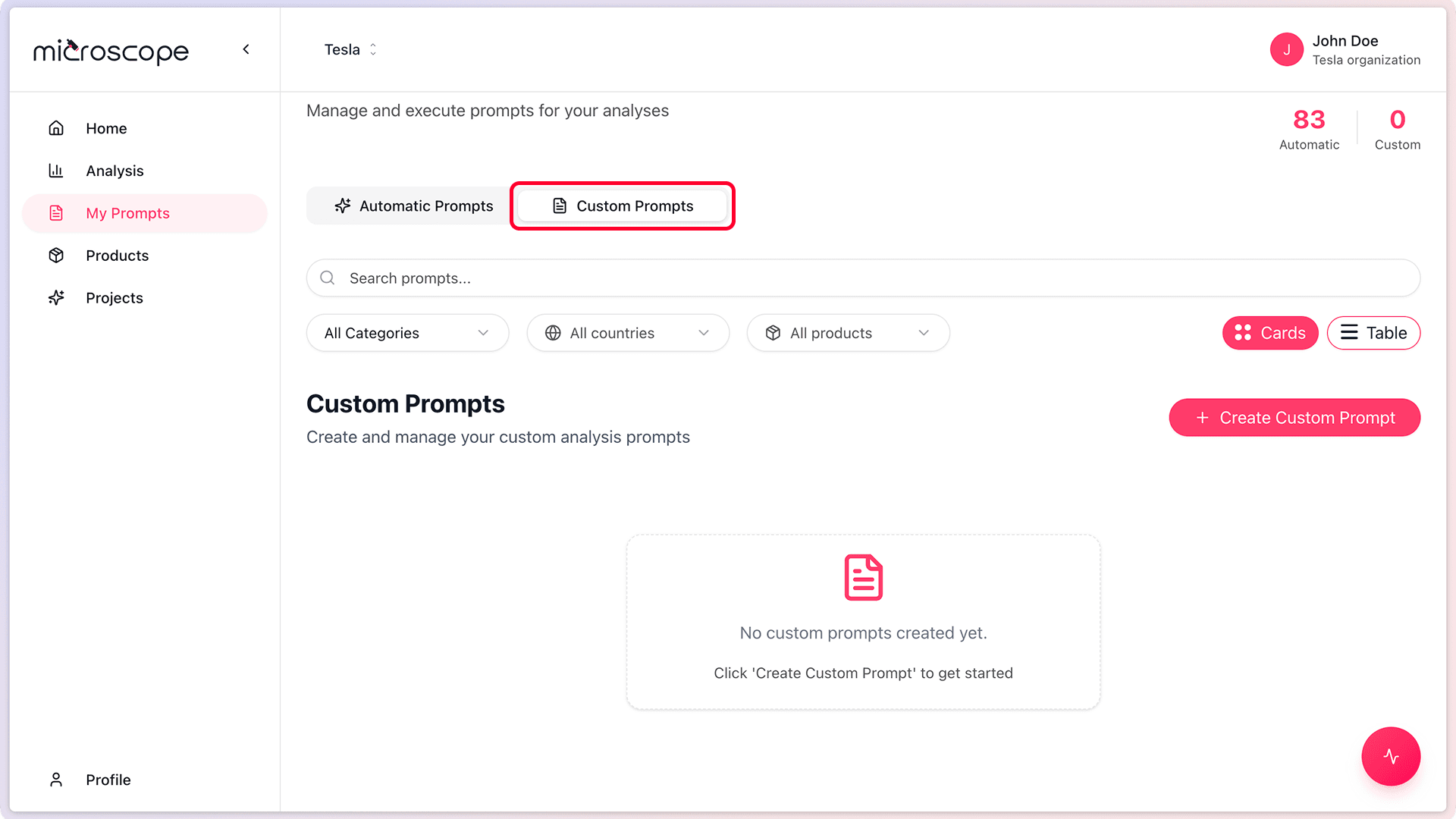
What Are Custom Prompts?
- Questions you write yourself
- Tailored to your unique business scenarios
- Address specific competitive situations
- Test campaign messaging or positioning
- Monitor niche use cases
When to Create Custom Prompts
Consider creating custom prompts when:
- Automatic prompts don't cover your specific needs
- You have unique competitive dynamics
- You want to monitor specific campaigns
- Your industry has specialized terminology
- You serve niche markets or audiences
- You need to test specific positioning statements
Benefits of Custom Prompts
- Precision - Target exactly what you need to monitor
- Flexibility - Adapt to changing business needs
- Competitive edge - Monitor scenarios unique to your strategy
- Campaign tracking - Test specific marketing initiatives
- Innovation - Experiment with new monitoring approaches
Limitations to Consider
- Require time and expertise to create
- Need to be crafted carefully for optimal results
- May require iteration to perfect
Comparing Automatic and Custom Prompts
Automatic Prompts
Best for:
- Getting started quickly
- Standard industry monitoring
- Benchmarking against best practices
- Comprehensive baseline coverage
- Users new to AI monitoring
Limitations:
- May not address unique business scenarios
- Generic rather than hyper-targeted
- Cannot be edited directly (but you can create a custom version based on them)
Custom Prompts
Best for:
- Specific competitive scenarios
- Unique value propositions
- Campaign-specific monitoring
- Niche markets or audiences
- Advanced users with specific goals
Limitations:
- Require creation effort
- Need expertise to craft effectively
The most effective monitoring strategies combine automatic prompts for comprehensive coverage with custom prompts for specific objectives.
Using Both Types Together
Recommended Approach
- Start with automatic prompts for baseline monitoring
- Identify gaps or unique needs from initial results
- Create custom prompts to fill those gaps
- Run analyses that include both types
- Maintain a balanced mix
Example Strategy
A typical monitoring strategy might include:
- 70% automatic prompts - Core monitoring across all categories
- 30% custom prompts - Specific to your competitive positioning, campaigns, or unique needs
Managing Your Prompt Portfolio
Regular Review
- Assess which prompts provide the most value
- Retire custom prompts that no longer serve a purpose
- Add new custom prompts as needs evolve
- Keep automatic prompts for consistency
Organization
- Use categories to organize prompts
- Name custom prompts clearly
- Document the purpose of custom prompts
- Tag prompts by campaign or initiative
Common Questions
Can I edit automatic prompts?
No, automatic prompts cannot be edited. However, you can create a custom prompt based on an automatic one and modify it to suit your needs.
How many custom prompts should I create?
Start with 5-10 focused custom prompts. Add more as you identify specific monitoring needs. Quality matters more than quantity.
Do custom prompts replace automatic prompts?
No, they complement them. Automatic prompts provide comprehensive baseline coverage, while custom prompts address specific needs.
Next Steps
Ready to dive deeper into prompts? Learn about:
- Browsing the prompts library
- Understanding prompt categories in detail
- Creating your first custom prompt
- Using prompts in analyses effectively