Prompts are the foundation of AI monitoring in Microscope.ai. They are specific questions or scenarios that simulate real user queries to AI models. Understanding prompts is essential to effective AI search optimization.
Definition of a Prompt
A prompt in Microscope.ai is a carefully crafted question or statement posed to AI models to:
- Simulate real user queries
- Evaluate how AI models respond about your brand or products
- Measure accuracy, completeness, and positioning
- Track changes in AI behavior over time
Example Prompts
- "What are the best running shoes for marathon training?"
- "Which CRM software is best for small businesses?"
- "Tell me about [Your Brand Name]"
- "Where can I buy [Your Product Name]?"
How Prompts Work
The Prompt Execution Process
When a prompt is executed:
- The prompt is sent to selected AI models (GPT, Gemini, etc.)
- Each AI model generates a response
- Microscope.ai analyzes the responses for mentions, accuracy, and positioning
- Results are scored and stored for analysis
- Insights and recommendations are generated
Context Provided
For each prompt, Microscope.ai may provide context to AI models including:
- Your brand information
- Product details (for product-specific prompts)
- Target audience information
- Geographic or market context
This ensures prompts simulate realistic user scenarios.
Types of Prompts
Microscope.ai offers two types of prompts to suit different monitoring needs:
- Automatic Prompts - Pre-built questions created by Microscope.ai
- Custom Prompts - Questions you create for specific scenarios
Each type serves different purposes and works best in different situations.
For a detailed comparison and guidance on when to use each type, see Automatic vs Custom Prompts.
Prompt Categories
Prompts in Microscope.ai are organized into categories to provide structured insights:
- Brand Category
- Product Category
- Technical Category
- Trust Category
Categories help you organize prompts and build balanced monitoring strategies. For detailed explanations of what each category measures, example prompts, and strategic guidance, see Prompt Categories Explained.
Why Prompts Matter
Simulate Real User Behavior
Prompts replicate actual questions users ask AI assistants, giving you insights into:
- What information AI provides about you
- How you compare to competitors
- Whether AI information is accurate
- How you're positioned in AI responses
Comprehensive Coverage
Using diverse prompts ensures you monitor:
- Different stages of the customer journey
- Various product categories
- Multiple use cases
- Different types of queries
Actionable Insights
Prompt results reveal:
- Content gaps to fill
- Inaccuracies to correct
- Competitive weaknesses to exploit
- Optimization opportunities
Anatomy of a Good Prompt
Characteristics
Effective prompts are:
- Realistic - Questions real users would ask
- Specific - Clearly defined, not vague
- Relevant - Aligned with your business goals
- Testable - Generate measurable results
- Consistent - Can be repeated over time for trend tracking
What to Avoid
- Overly broad questions that yield generic answers
- Leading questions that bias AI responses
- Extremely niche queries with no search volume
- Questions irrelevant to your brand or products
- Duplicate prompts that waste analysis quota
Prompts in the Platform
Prompts Library
Access all available prompts:
- Navigate to Prompts in the sidebar
- Browse automatic and custom prompts
- Filter by category
- Search for specific prompts
- Preview prompt text and purpose
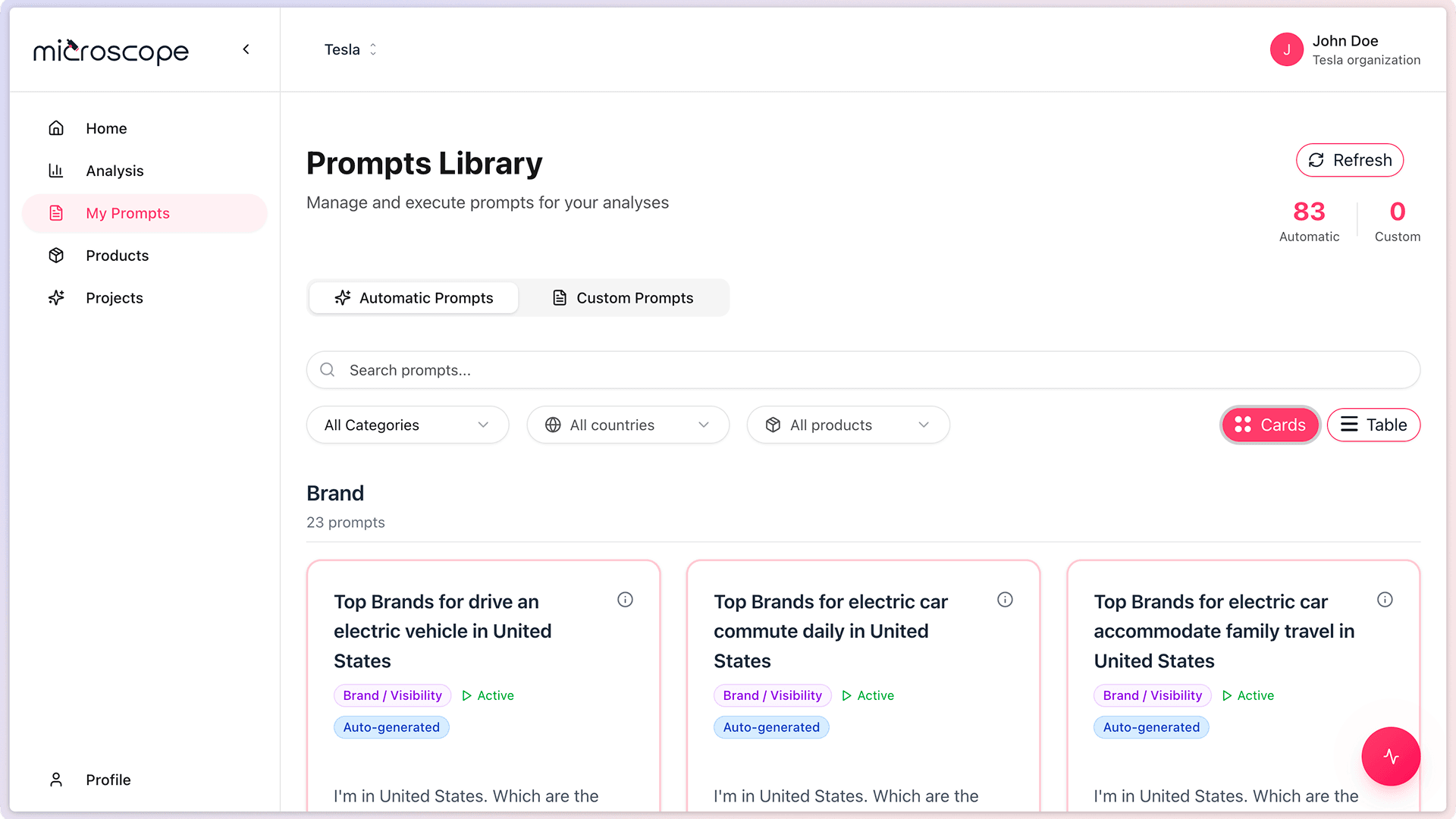
Prompts library overview

Prompt card example
Using Prompts in Analyses
Prompts are executed as part of analyses:
- Select prompts to include in an analysis
- Configure which AI models to query
- Run the analysis to execute all prompts
- Review results prompt by prompt
Next Steps
Now that you understand what prompts are, you're ready to:
- Explore automatic vs. custom prompts
- Browse the prompts library
- Create your first custom prompt
- Build an analysis using prompts