You can invite team members to join your Microscope.ai organization to collaborate on projects and analyses.
Inviting Team Members
How to Invite
- Go to Profile → Invite Member
- Enter email address
- Click Send Invitation
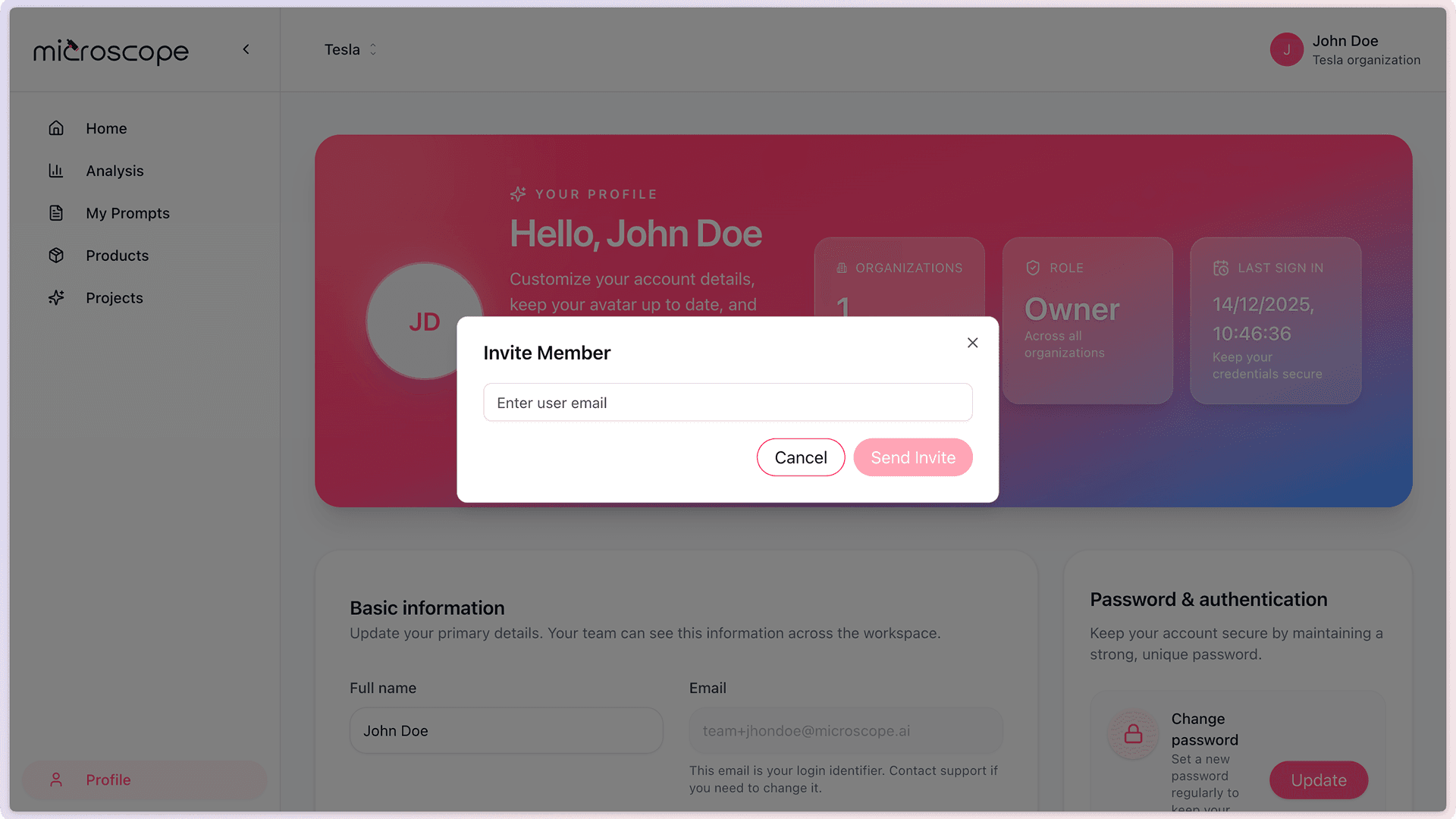
Invitation Process
- Invitee receives email with invitation link
- They click the link and create an account or log in
- Automatically added to your organization
- Gains access to all organization features
Managing Team Members
Viewing Team Members
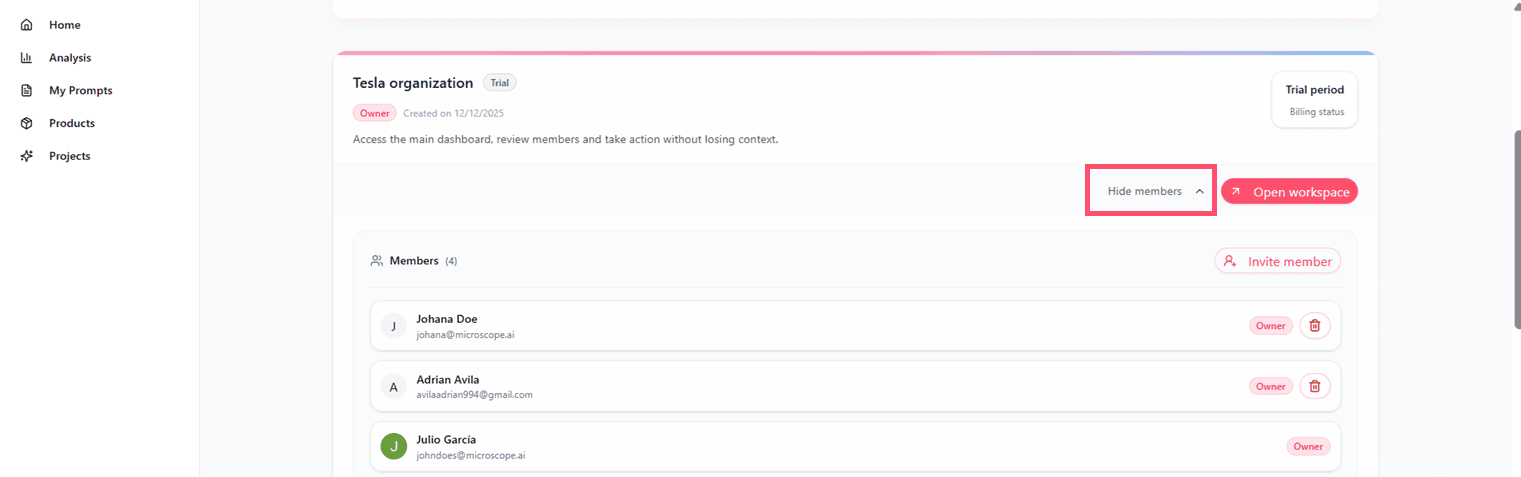
- Go to Profile → Organizations
- See all current organization → Clic View members button
- See all current organization members
- View member status
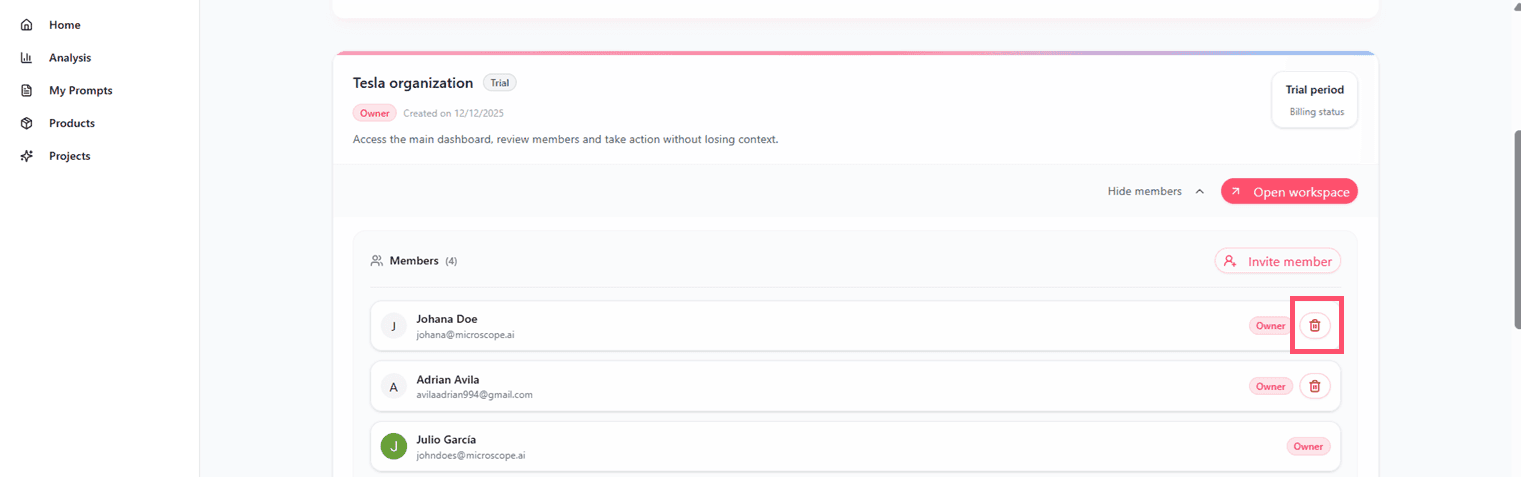
Removing Members
- Select member to remove
- Click Remove or button
- Confirm the action
- Member loses access immediately
Note: Removed members lose access to the organization, but their created content remains.
Best Practices
- Invite trusted colleagues only - All members have full access to projects
- Communicate clearly - Let team members know about shared access
- Regular reviews - Periodically check who has access
- Remove promptly - Remove ex-members immediately when they leave
Next Steps
Ready to add team members?
- Invite your colleagues to join
- Set up shared projects for collaboration
- Establish communication practices for your team