Microscope.ai offers a comprehensive suite of features designed to help you monitor, analyze, and optimize your brand's presence in AI-powered search results. This overview highlights the key capabilities that make Microscope.ai an essential tool for modern marketing, SEO, and AEO teams.
Multi-Model AI Monitoring
One of Microscope.ai's most powerful features is its ability to monitor your brand across multiple AI platforms simultaneously.
Supported AI Models
- GPT (OpenAI) - The most widely-used conversational AI, powering ChatGPT and numerous applications
- Gemini (Google) - Google's advanced AI model, integrated across Google services
- Claude (Anthropic) - Coming soon: Anthropic's conversational AI known for nuanced responses
- Perplexity AI - Coming soon: AI-powered search engine gaining popularity
Why Multiple Models Matter
Different users prefer different AI assistants, and each model has unique characteristics, training data, and response patterns. By monitoring across models, you gain:
- Comprehensive visibility into your AI presence
- Understanding of model-specific variations
- Ability to optimize for multiple platforms
- Insights into which models favor your brand
Automatic and Custom Prompts
Microscope.ai provides flexibility in how you query AI models through both pre-built and custom prompts.
Automatic Prompts
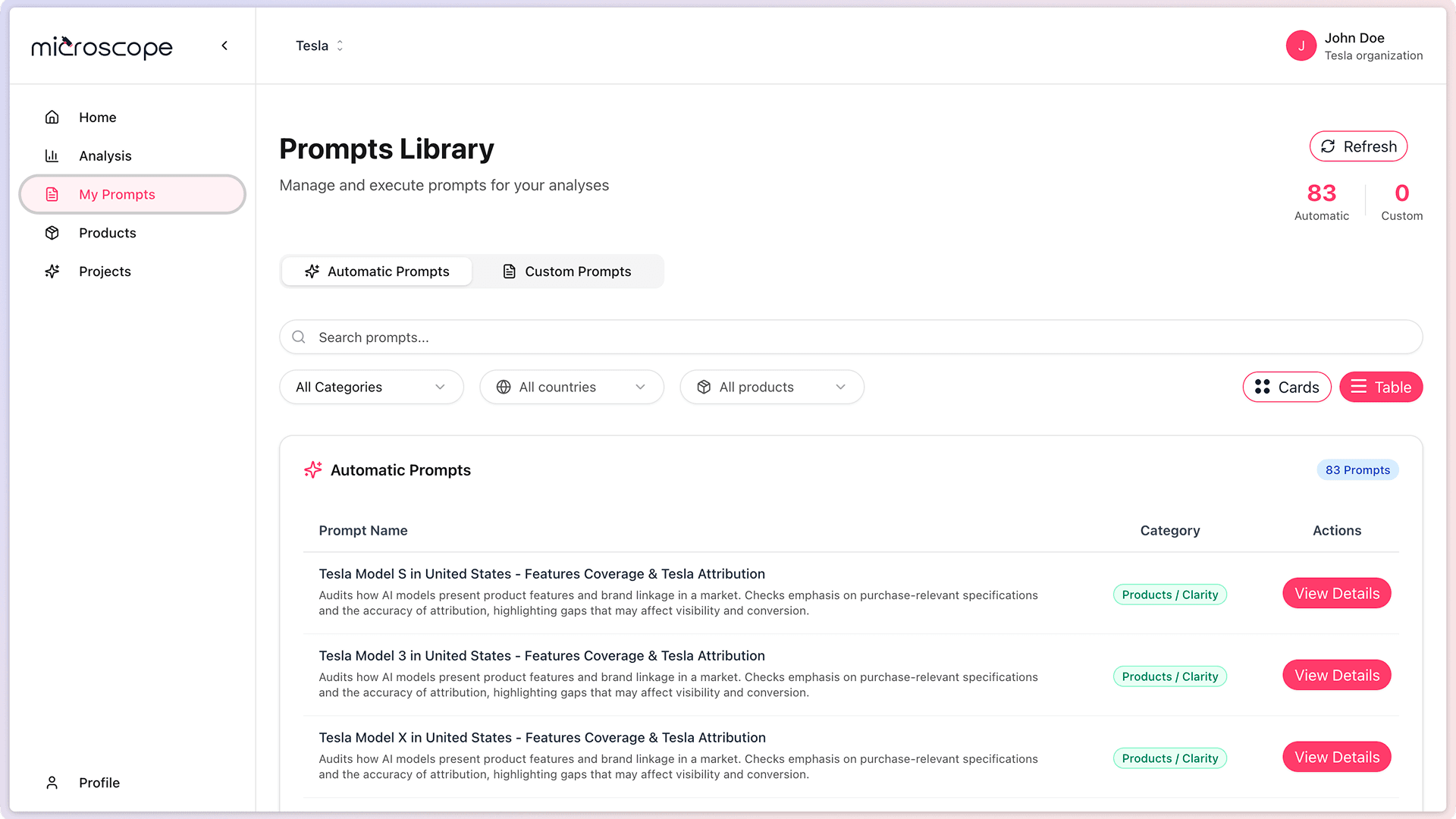
Pre-built prompts covering essential business areas:
- Brand Prompts - Measure brand awareness, recognition, and positioning
- Product Prompts - Track how AI models recommend and describe your products
- Technical Prompts - Monitor technical information accuracy and completeness
- Trust Prompts - Evaluate reputation, reviews, and authority signals
Custom Prompts
Create prompts tailored to your specific needs:
- Target your exact audience segments
- Test specific use cases and scenarios
- Monitor competitive positioning
- Track seasonal or campaign-specific queries
- Address unique business objectives
Combine automatic prompts for comprehensive coverage with custom prompts for specific objectives.
Scheduled Automated Analyses
Set up recurring analyses to track your AI presence over time without manual intervention.
Scheduling Options
- One-time - Run an analysis once for ad-hoc monitoring
- Daily - Ideal for active campaigns or competitive markets
- Weekly - Good balance for regular monitoring
- Monthly - Suitable for established brands with stable presence
Benefits of Automation
- Consistent monitoring without manual effort
- Early detection of issues or changes
- Historical data for trend analysis
- Regular updates for stakeholders
- Proof of ROI from optimization efforts
Comprehensive Performance Dashboard
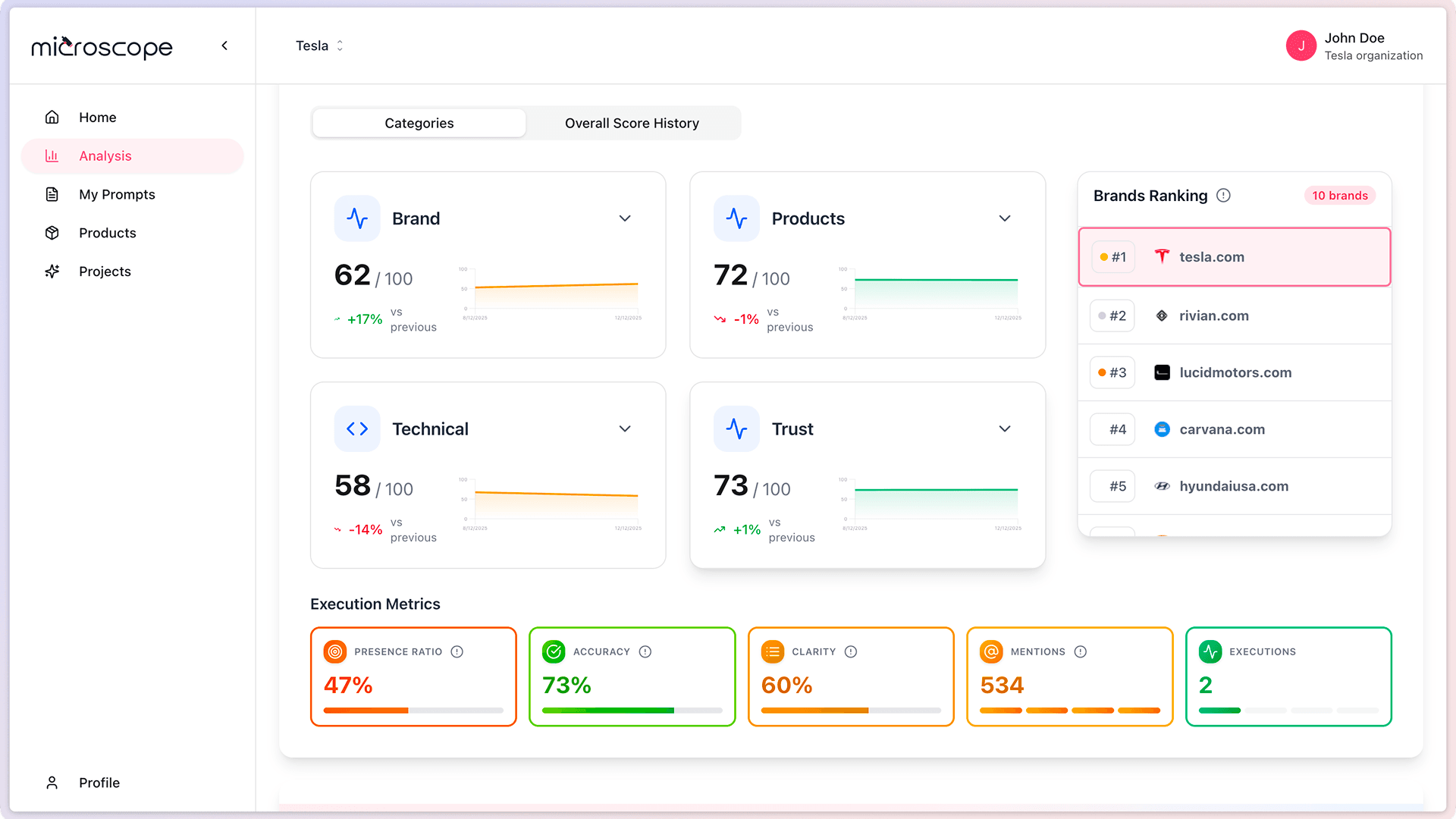
The Home dashboard provides an at-a-glance view of your AI search performance with key metrics and trends.
Dashboard Features
- Overall Performance Score - Single metric summarizing your AI presence
- Category Breakdown - Performance across Brand, Product, Technical, and Trust categories
- Trend Indicators - Visual representation of improvements or declines
- Recent Activity - Latest analysis executions and their results
- Quick Actions - Fast access to common tasks

Detailed Results Analysis
Drill down into comprehensive results for each analysis to understand exactly how AI models represent your brand.
Results Include
- Prompt-by-Prompt Analysis - Detailed view of each query and its responses
- Model Comparison - Side-by-side comparison of different AI models
- Scoring Breakdown - Understanding what drives your scores
- Brand Mentions - Tracking frequency and context of mentions
- Competitive Positioning - How you rank against competitors
- AI Responses - Full text of what each model said about your brand
Actionable Insights
Each analysis generates specific insights:
- Identified issues and their severity
- Recommendations for improvement
- Priority areas to address
- Content gaps to fill
- Opportunities to capitalize on
Product Catalog Management
Maintain a catalog of your products to provide context for product-related analyses and track how AI models represent each offering.
Product Features
- Easy product addition and editing
- Product descriptions and specifications
- Use case definitions
- Product-specific prompt generation
- Performance tracking per product
- Comparison across product portfolio
Use Cases
- E-commerce - Track all products in your catalog
- SaaS - Monitor different product tiers or features
- Services - Track service offerings and specializations
- Multi-brand - Compare products across different brands
Team Collaboration
Microscope.ai supports team-based workflows with collaboration features. Currently, all team members have full access to all features.
Team Features
- User Invitations - Easy team member onboarding
Collaboration Benefits
- Align teams around AI optimization goals
- Share insights across departments
- Coordinate optimization efforts
- Track team contributions
- Scale monitoring across organization
Multi-Project Organization
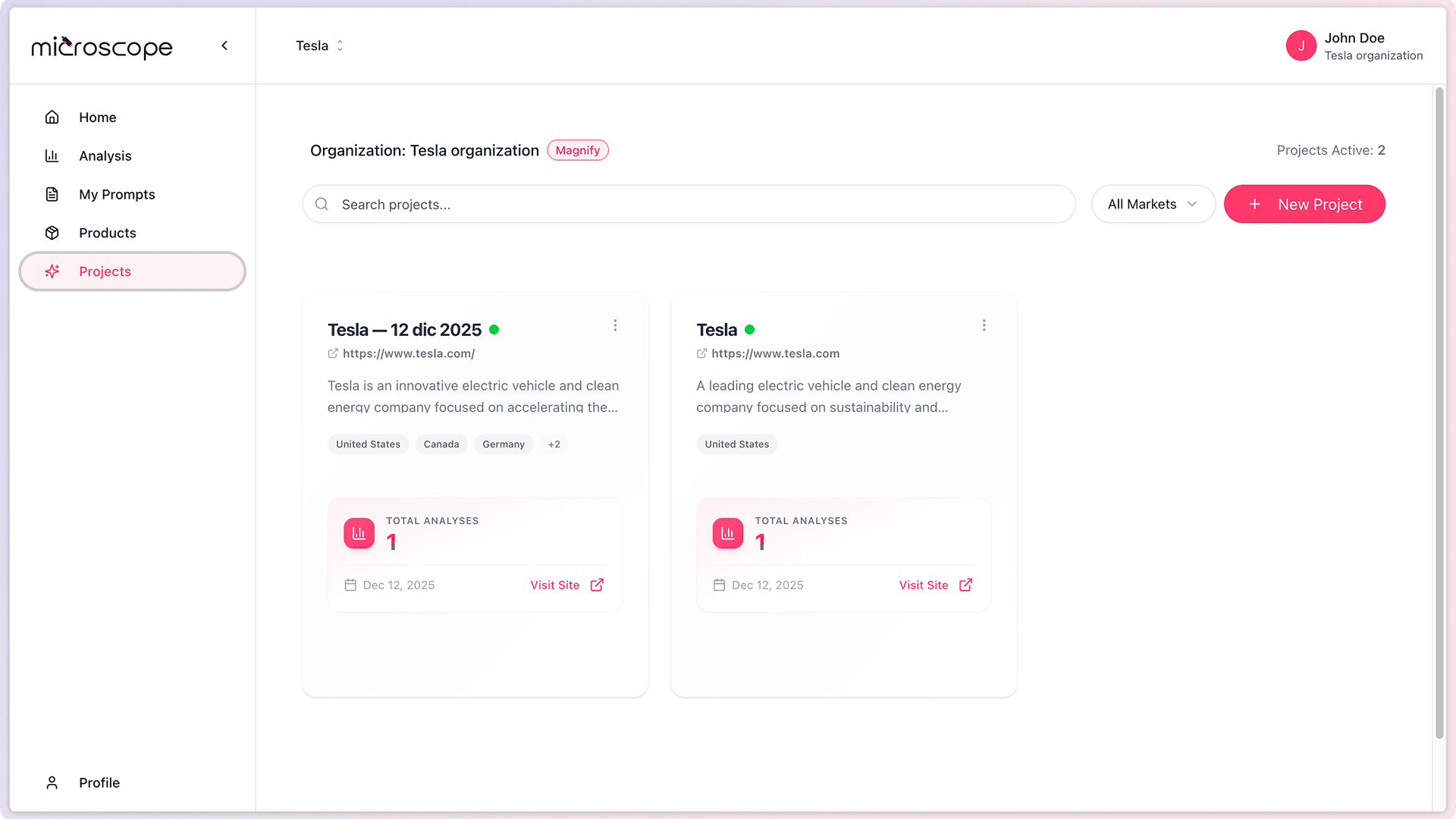
Organize your monitoring activities into separate projects for different brands, markets, or business units.
Project Benefits
- Separation of Concerns - Keep different initiatives independent
- Focused Analysis - Each project has its own prompts and products
- Independent Results - Results don't mix between projects
- Team Assignment - Different teams for different projects
- Flexible Organization - Structure projects however makes sense for your business
Common Project Structures
- By Brand - One project per brand in your portfolio
- By Market - One project per geographic market or language
- By Business Unit - One project per division or product line
- By Client - For agencies managing multiple clients
- By Campaign - Temporary projects for specific initiatives
Trend Tracking and Historical Data
Track how your AI presence evolves over time with comprehensive historical data and trend analysis.
Historical Features
- Unlimited historical data retention
- Compare any two time periods
- Visualize trends over time
- Identify seasonal patterns
- Measure impact of optimization efforts
- Export data for external analysis
Trend Insights
Understand the story behind your metrics:
- What's improving and what's declining
- How fast changes are occurring
- Correlation between optimization efforts and results
- Competitive dynamics over time
- Impact of external events or campaigns
Getting Started with These Features
To make the most of Microscope.ai's features:
- Start Simple - Begin with automatic prompts and one project
- Add Products - Build your product catalog gradually
- Schedule Regularly - Set up recurring analyses for consistent monitoring
- Review Insights - Regularly check your dashboard and results
- Take Action - Implement recommendations and track improvements
- Expand Gradually - Add custom prompts and additional projects as needed
- Involve Your Team - Invite colleagues to collaborate
Next Steps
Ready to dive deeper? Learn about:
- System requirements and browser support
- Creating your Microscope account
- Setting up your first project